Frame generation for PS5 and Xbox Remote Play
UpscaleGTA is a Windows app. It sits on top of the PS Remote Play or Xbox app window on your PC and draws the frames in between, so a 30 fps console stream is shown at 60, 90 or up to 120 fps on your monitor. It also scales the stream to your screen.
What it does, and what it doesn't
- Smoother motion. It looks at two pictures from the console and draws the ones in between, while you play.
- A sharper fit on your screen. Remote Play sends 1080p from a PS5 and up to 1440p from an Xbox; UpscaleGTA scales it with AMD FSR 1, or NVIDIA RTX Video Super Resolution on RTX cards.
- Not faster response. The console still runs the game at its own frame rate, and each frame reaches the screen a little later: on our test PC (RTX 4080) about 25 ms at 60 fps. Good for driving, exploring and story games; not for competitive shooters.
- Not a fix for drops. When the console itself drops below 30, there are fewer real frames to work from.
Three steps
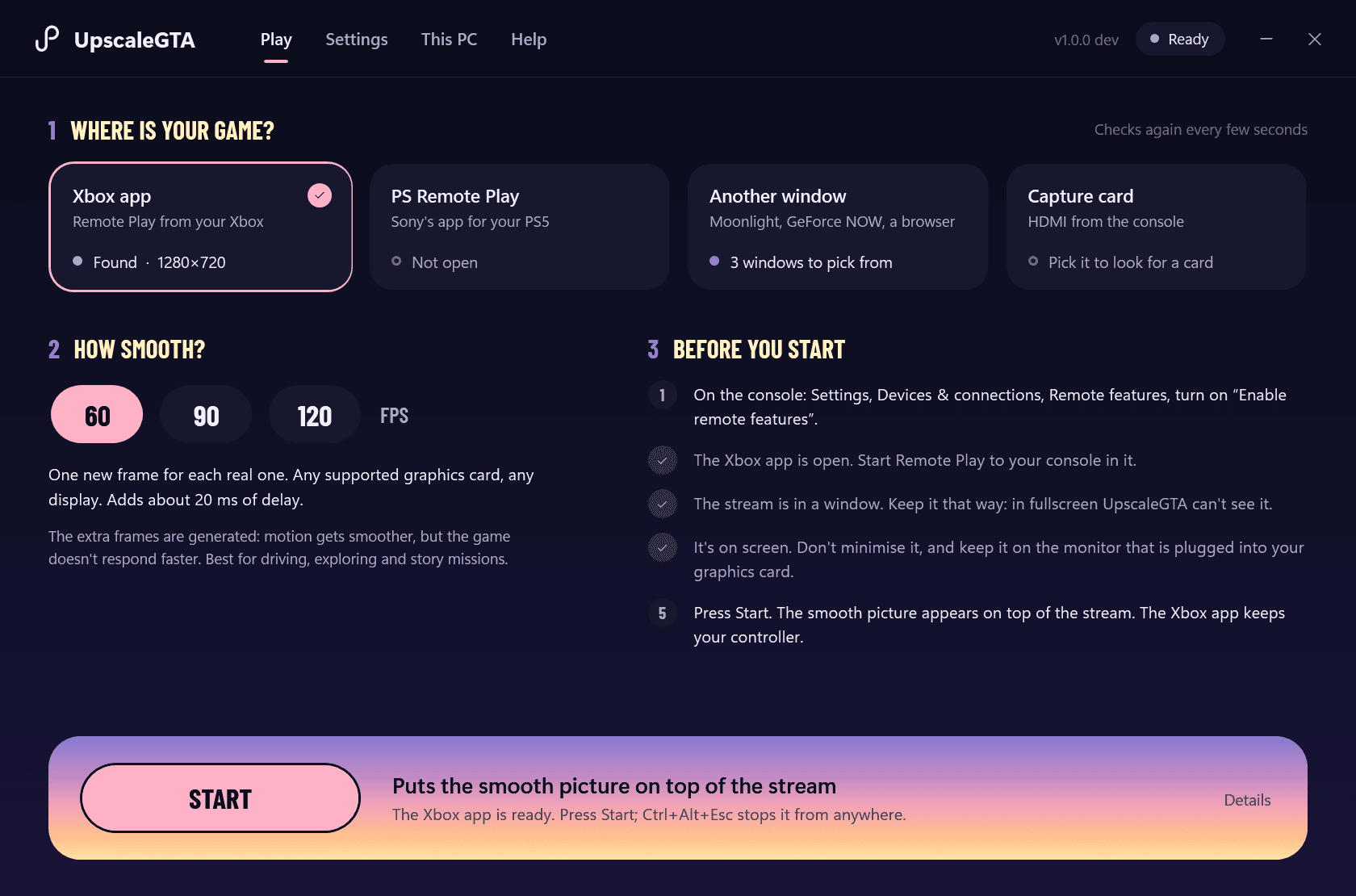
- Start Remote Play. Open the Xbox app or Sony's PS Remote Play app on your PC and connect to your console, the way you always do. Keep the stream in a window: a maximised window is fine, fullscreen is not.
- Choose it in UpscaleGTA. UpscaleGTA shows what it can see right now: the Xbox app, PS Remote Play, another window or a capture card. Pick yours, then pick 60, 90 or 120 fps. The first time, Auto-detect finds the best settings for your PC in about ten seconds.
- Press Start. The smooth picture appears on top of the stream. Your controller keeps working through Remote Play, as before.
What you need
- A Windows 10 or 11 PC with a dedicated graphics card and about 12 GB of free disk space.
- NVIDIA RTX cards reach up to 120 fps; AMD Radeon and Intel Arc cards 60 fps. RTX 40 and 50 cards can also use NVIDIA's own frame generation.
- Your own PS5 or Xbox Series X|S and your games: UpscaleGTA doesn't include a game.
- The free Xbox app or PS Remote Play app, and a steady home network.
All details, including what setup installs and how to remove it, are on system requirements.
Which games
Any game you stream from your console. It matters most for games locked at 30 fps on console, such as GTA VI, which runs at 30 fps on PS5, PS5 Pro and Xbox Series X|S. Other stream windows work too, such as GeForce NOW.
Questions
Does it change anything on my console or account?
No. It only reads the picture of the stream window on your PC and changes nothing on the console, in the game or in your account. Your controller keeps working through Remote Play as before.
Is it a subscription?
No. You pay €9.99 once for a personal licence for up to two PCs of your own, updates included.
What if it doesn't run well on my PC?
You get your money back within 14 days, no reason needed. When you first start it, “Find the best settings” tests your graphics card and display and picks the settings that suit them.
Is it free software with a price on it?
UpscaleGTA is built on SmoovPlay, an open-source project (MIT licence), and uses RIFE and AMD FSR 1. What you pay for is an app made for the official Remote Play windows, a guided setup, email support and updates. See the credits, and how it compares with Lossless Scaling and the free tools.
Sold by MOJL (Dutch Chamber of Commerce, KvK 94794332), The Netherlands. UpscaleGTA is an independent product, not affiliated with Sony, Microsoft, Rockstar Games or Take-Two Interactive. Terms of sale · Privacy