The short answer
Frame generation draws extra pictures between the ones a game sends, so a 30 fps game can move like a 60 fps one. It makes motion smoother. It does not make the game respond faster, it adds a little delay, and drawn frames can show small smears. On a PC, our app UpscaleGTA does this for the PS5 and Xbox Remote Play stream: GTA VI at 60, 90 or up to 120 fps.
How it works
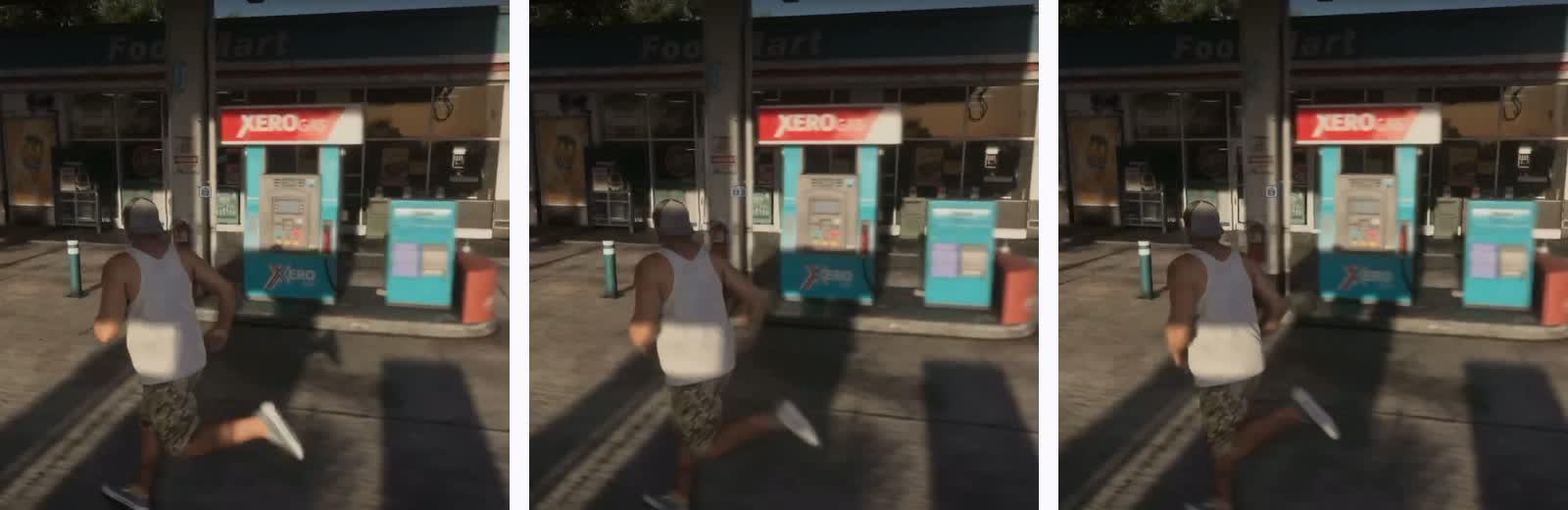
A game is a fast flipbook. At 30 frames per second each picture stays on screen for 33 ms; at 60, for half that. Frame generation takes two pictures in a row, estimates how every part of the image moved between them, and draws the picture halfway. Insert one between every pair and 30 becomes 60; insert three and it becomes 120.
30 fps a new picture every 33 ms
60 fps, generated the console's 30 plus one drawn in between
from the console drawn by the PC
PC games with built-in frame generation (such as NVIDIA DLSS Frame Generation) get extra help from the game: depth and motion data for every pixel. A console stream has none of that. A tool working on a Remote Play window has only the finished pictures to go on, which is a harder job.
The limits
- It doesn't respond faster. Your controller still reaches the game at its own pace. GTA VI already has about 180 ms of input delay on Xbox Series X (Digital Foundry, 18 Nov 2026).
- It adds delay. The frame in between can only be drawn once the next real frame has arrived, so everything is shown a little later.
- It needs a steady base. When the console drops to 22 fps, there are fewer real frames to work from and the drop is still felt.
- Drawn frames are guesses. Fast camera turns, a hand passing a detailed background, the minimap and text can show small smears or wobble.
- A stream adds its own problems. A 30 fps game inside a 60 fps stream arrives as each frame twice; the tool has to find the 30 real ones. Compression blocks can confuse the motion estimate.
Where you can get it
| Where | Options | Notes |
|---|---|---|
| On the console | None | Sony's Mark Cerny said in March 2026 that frame generation should reach PlayStation at some point, with no date (Notebookcheck, 24 Mar 2026) |
| On the TV | Motion smoothing | Free; most brands only outside game mode (details) |
| On a PC, from a Remote Play window | Lossless Scaling, SmoovPlay, Veyra, UpscaleGTA, driver features | Needs a dedicated graphics card |
| On a PC, from a capture card | Lossless Scaling, Veyra | Extra hardware; PS5 needs HDCP off |
How UpscaleGTA compares
We make UpscaleGTA, so read this with that in mind. What is fair to say:
- Lossless Scaling (about €7 on Steam; Lossless Scaling on Steam) works on any window and is a well-loved tool. On Sony's own Remote Play app, users reported in 2024 that it froze or showed duplicated frames when the window lost focus (Steam discussion, 2024). With the Xbox app we found no solid reports either way.
- SmoovPlay is free and open source, and UpscaleGTA is built on it (MIT licence). Its tested route is PS5 streaming through its own client (Notebookcheck, 17 Nov 2026). What UpscaleGTA adds is an app made for the official Remote Play windows, a guided setup, email support and updates.
- Veyra is free and open source, for Windows 11, and aimed mainly at capture cards (TweakTown, 17 Nov 2026).
- NVIDIA Smooth Motion and AMD AFMF are free with the card. Whether they work on a Remote Play window has not been verified by anyone we could find.
- UpscaleGTA (€9.99 once) sits on top of the official PS Remote Play and Xbox app windows, needs no capture card, runs on Windows 10 and 11, and also scales the stream to your screen (NVIDIA RTX Video Super Resolution on RTX cards, AMD FSR 1 on any card). It uses RIFE frame interpolation, and on RTX 40 and 50 series cards also NVIDIA's own VFG frame generation. On our test PC (RTX 4080, Xbox app, measured 18 November 2026, not with GTA VI) a frame spends about 25 ms in it at 60 fps: median 24.6 ms, 95% under 29.2 ms.
Who it suits
Good for driving, exploring and story missions, where smooth camera movement matters most and a little delay doesn't. Not for competitive shooting, where every millisecond counts. And if your problem is the console's drops rather than 30 fps itself, frame generation will not solve it.
Not known yet
No one had published a test of frame generation on GTA VI over Remote Play as of 19 November 2026. We will publish ours, with the method.